Cursor lets developers control local coding agents from its iOS app without cloud agents
Cursor added remote control on 6 October 2026, so the iOS app can show and message agents running on a developer's own computer, without cloud agents.
By Emre AlemdarPublished
 Tech AI Latest
Cursor added remote control for local agents on 6 October 2026. The Cursor iOS app can now list the agents running on a paired computer, show what each one is doing and send it messages. The agents keep running on the computer, which must stay on and online. The feature is on by default for everyone except Enterprise organizations, where admins switch it on, and it does not require Cursor's cloud agents, which start at the $30 Premium plan.
Key facts
- Announced: 6 October 2026 (Cursor changelog)
- What it does: see and reply to local agents on your computer from the Cursor iOS app
- Default: on for everyone except Enterprise organizations; Enterprise admins enable it in Org settings
- Requirement: the computer must stay on and online; no cloud agents needed
- Keep awake option: works only when the computer is plugged in with the lid open
- Platform: iOS only; Android is not mentioned
What Cursor announced
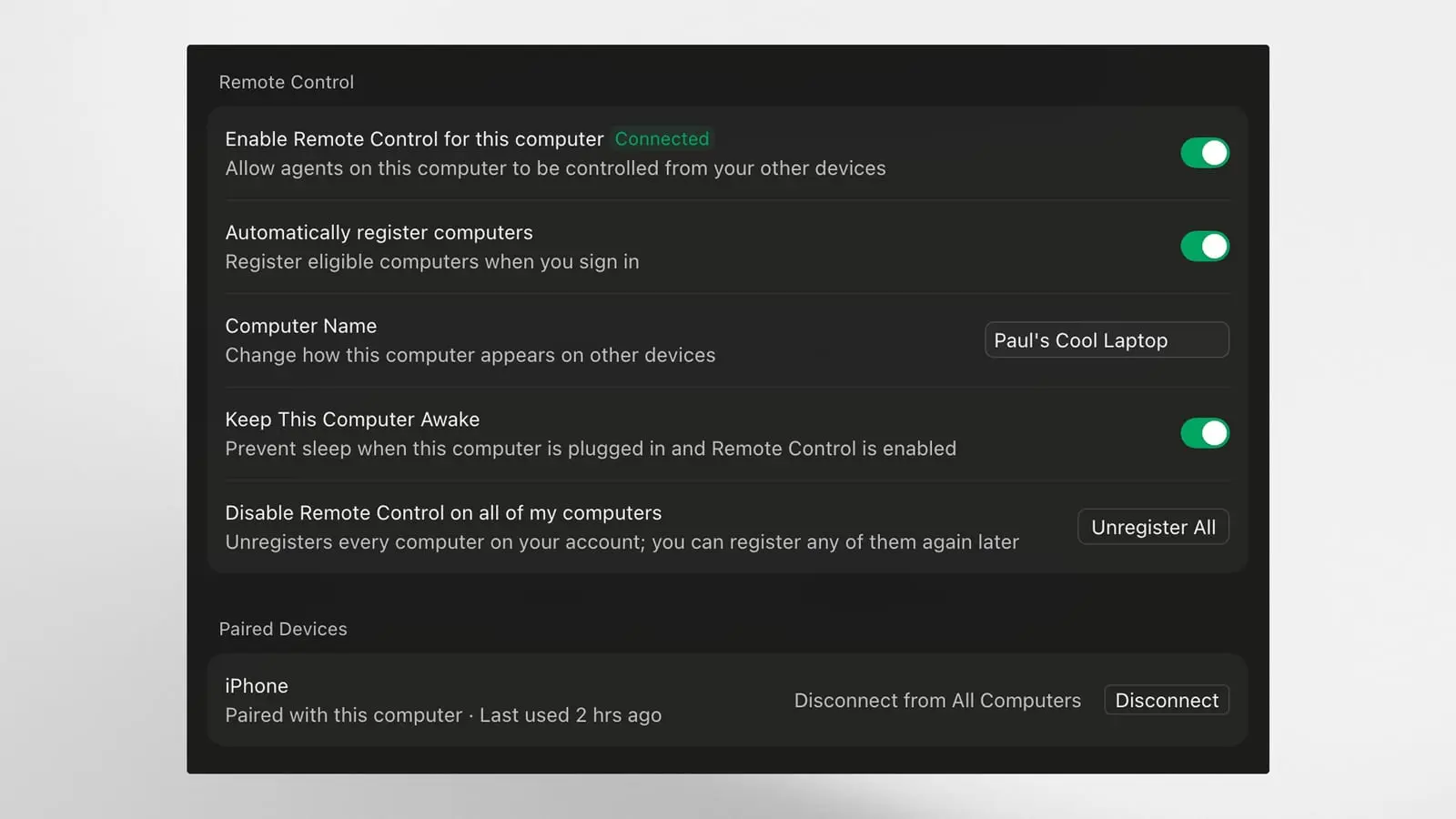
Anysphere, the maker of Cursor, said in its changelog on 6 October 2026 that developers can now see and reply to the local agents running on their computer from the Cursor iOS app. After signing in, computers on the account appear in the app automatically. The user taps a computer, approves the pairing request in the Cursor desktop app, and then sees a list of local agents. Tapping an agent shows what it is doing and lets the user send it a message.
Cursor stresses that remote control does not move agents anywhere. The agent keeps running on the computer and the phone connects to it, so the computer must stay on and online. A new setting, Keep this computer awake, stops the machine from sleeping while the developer is away, but only when it is plugged in with the lid open.
Who gets it and what it costs
Cursor says remote control is on by default for everyone except Enterprise organizations. Enterprise admins can turn it on under Org settings, Security and identity, Remote control. The changelog does not tie the feature to a paid tier, and it says remote control does not require cloud agents.
That matters for cost. According to Cursor's documentation, cloud agents, which run in isolated virtual machines while a laptop is offline, need Premium or a higher plan, Teams, Enterprise or a legacy paid plan, and they draw on plan usage at the selected model's rate. The pricing page lists Free at $0, Plus at $8, Premium at $30, Super at $100 and Ultra at $200 per month, with Teams from $30 per user per month. Cursor says everyone except Enterprise organizations gets remote control by default, which on its wording includes Free and Plus users who cannot run cloud agents.
What changed for developers
The Cursor iOS app page lists cloud agent features: launching agents in parallel, sending follow-up prompts, reviewing and merging pull requests and getting notifications. Remote control adds agents running on the developer's own computer. A developer can start a long task on a workstation and answer an agent's questions from a phone, while the agent keeps working on the workstation's own files and tools. The trade-off is that the computer has to stay awake and connected for the whole session.
What to watch next
The announcement does not mention an Android app, a minimum iOS version, or limits on how many computers can be paired. Ten days later, on 16 October, Cursor said cloud agents can build interactive canvases that teams share by link, and put an Environments API into beta. More coding tool releases are tracked under AI Tools, including Anthropic's Claude Code Review launch and OpenAI's Codex update.
What changed
| Before | The Cursor iOS app managed cloud agents; local agents could only be followed on the computer itself |
|---|---|
| After | The iOS app pairs with a computer and shows and messages its local agents; on by default except for Enterprise organizations |
| Who it affects | Cursor users on any plan who run long agent tasks locally; Enterprise admins who must opt in |
Questions people ask
- Does Cursor remote control need a paid plan?
- The changelog does not tie it to a paid tier. Cursor says it is on by default for everyone except Enterprise organizations and does not require cloud agents, which need Premium or higher.
- Do Cursor agents run on the phone with remote control?
- No. Cursor says the agents keep running on your computer and the iOS app connects to them, so the computer must stay on and online.
- Is remote control available on Android?
- Not stated in the announcement. Cursor says remote control is available today in the Cursor iOS app.
Sources
- Remote control for local agents (Cursor changelog, 6 Oct 2026)
- Cloud agents (Cursor Docs, 28 Oct 2026)
- Pricing (Cursor, 28 Oct 2026)
- Cloud Agent Canvases and Environment Improvements (Cursor changelog, 16 Oct 2026)
Reference pages
Spotted an error? See the corrections policy and tell the editor. Facts in this story come from the sources listed above; vendor claims are attributed.
Comments
Loading comments.